

AI Integration Quick Reference
AI Integration Quick Reference
| Field | Value |
|---|---|
| Import | com.cometchat.uikit.core.resources.localise.CometChatLocalize |
| Set language | CometChatLocalize.setLocale(context, Language.FRENCH) |
| Get language | CometChatLocalize.getLocale(context) |
| Supported languages | 19: ar, de, en, es, fr, hi, hu, it, ja, ko, lt, ms, nl, pl, pt, ru, sv, tr, zh |
| Override labels | res/values/strings.xml — override UI Kit string resource keys |
| Related | Theme Introduction · Sound Manager |
Core Concepts
CometChatLocalize— utility object inchatuikit-coreto set and read the UI Kit locale. Shared by both Kotlin XML and Jetpack Compose modules.Language— constants for supported language codes (Language.ENGLISH,Language.FRENCH, etc.)strings.xml— Android string resources that control visible text in UI Kit components. Override keys in your app’sstrings.xml.
Supported Languages
| Language | Code | Language | Code |
|---|---|---|---|
| Arabic | ar | Korean | ko |
| Chinese | zh | Lithuanian | lt |
| Dutch | nl | Malay | ms |
| English | en | Polish | pl |
| French | fr | Portuguese | pt |
| German | de | Russian | ru |
| Hindi | hi | Spanish | es |
| Hungarian | hu | Swedish | sv |
| Italian | it | Turkish | tr |
| Japanese | ja |
Set the UI Kit Locale
CallCometChatLocalize.setLocale() before rendering any UI Kit components.
- Kotlin (XML Views)
- Jetpack Compose
Override UI Kit Labels
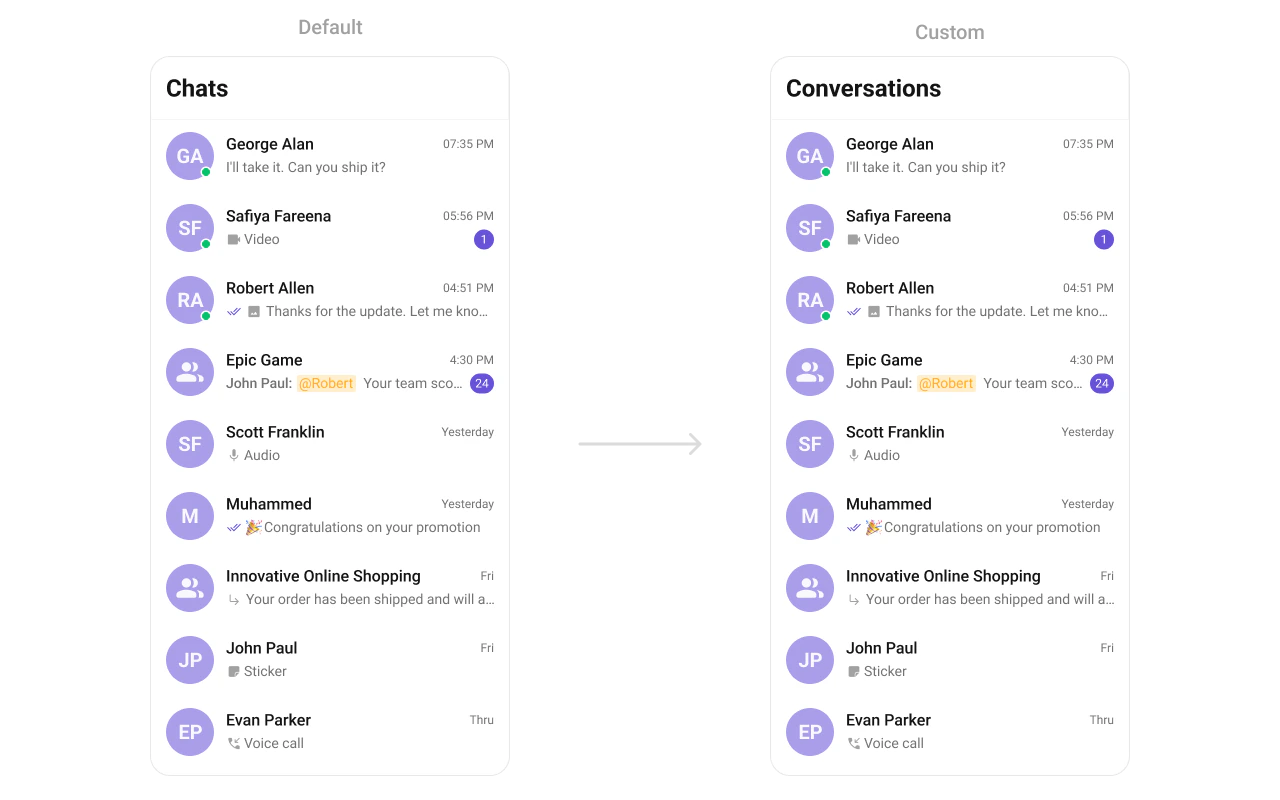
Override any UI Kit string by adding the same key to your app’sres/values/strings.xml. No source code changes needed — Android’s resource merging handles it.
res/values/strings.xml
Customize Date & Time Labels
Override how timestamps like “Today”, “Yesterday”, and “X mins ago” are displayed.- Kotlin (XML Views)
- Jetpack Compose
Set a
DateTimeFormatterCallback on individual components:Additional API
| Method | Description |
|---|---|
CometChatLocalize.setLocale(context, language) | Sets the UI Kit language |
CometChatLocalize.getLocale(context) | Returns the current locale country code |
CometChatLocalize.getLanguage(context) | Returns the current locale language code |
CometChatLocalize.isRtl(context) | Checks if the current locale is right-to-left |
CometChatLocalize.resetToDefault() | Resets locale to system default |
CometChatLocalize.createLocalizedContext(context, language) | Creates a context with a specific locale without affecting the app globally |