

AI Integration Quick Reference
AI Integration Quick Reference
| Field | Value |
|---|---|
| Kotlin XML Views | Override XML styles in themes.xml extending component parent styles (e.g., CometChatConversationsStyle), assign via theme attributes |
| Jetpack Compose | Pass style data classes as parameters (e.g., CometChatConversationsStyle, CometChatMessageListStyle) with .default() and .copy() |
| Pattern (XML) | Create custom style → extend parent → assign to AppTheme via theme attribute |
| Pattern (Compose) | Call ComponentStyle.default().copy(property = value) → pass as style parameter |
| Related | Theme Introduction · Color Resources · Message Bubble Styling |
Styling Pattern
- Kotlin (XML Views)
- Jetpack Compose
Components read styles from XML theme attributes. The pattern is:You can also set fonts globally:
- Create a custom style extending the component’s parent style
- Override the attributes you want to change
- Assign your custom style to
AppThemevia the component’s theme attribute
themes.xml
themes.xml
Chat Lists & Messaging
Conversation List
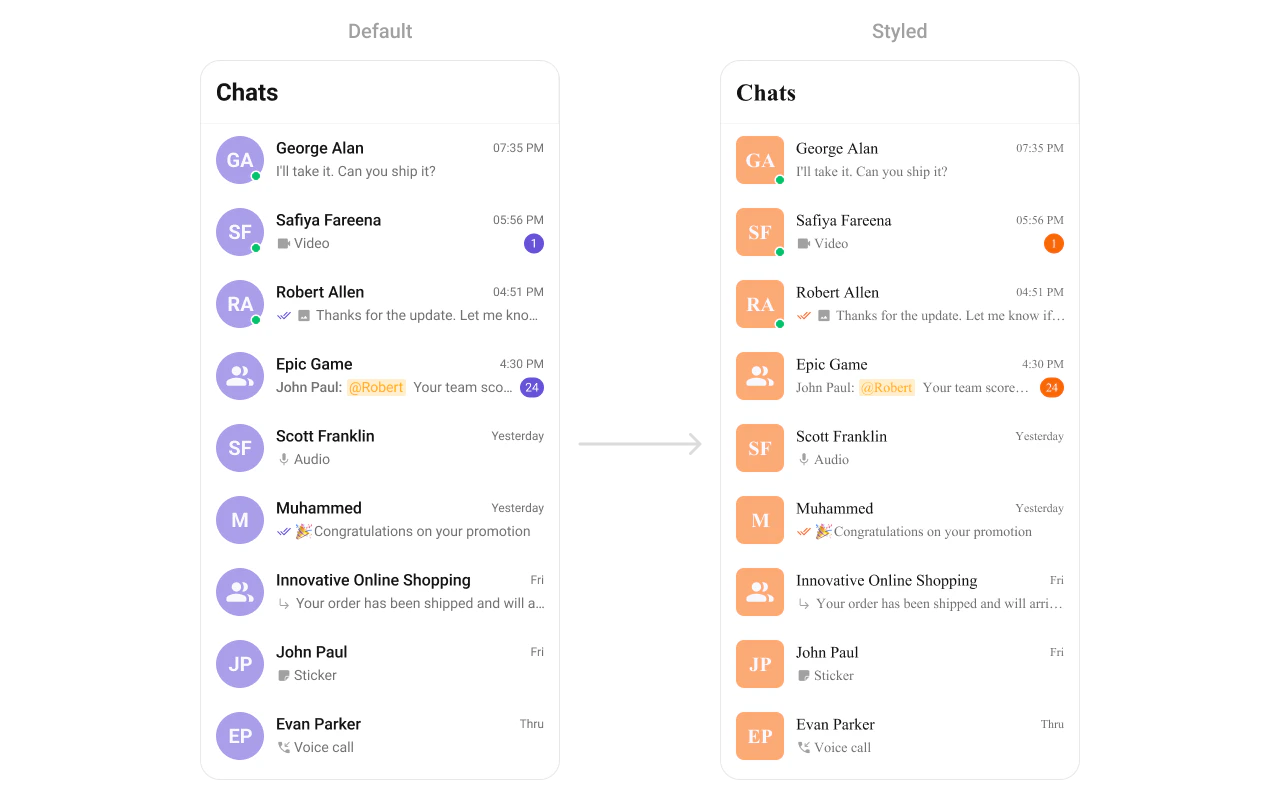
- Kotlin (XML Views)
- Jetpack Compose
themes.xml
Users
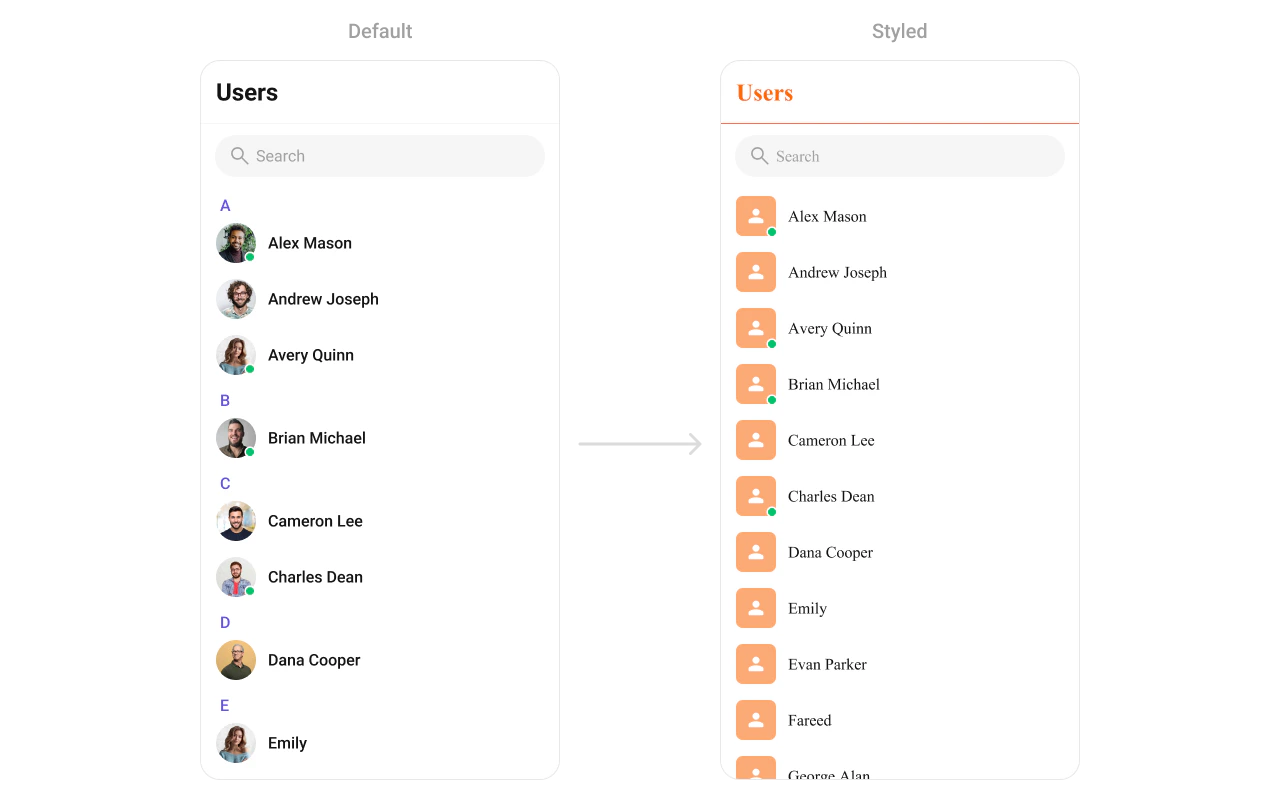
- Kotlin (XML Views)
- Jetpack Compose
themes.xml
Groups
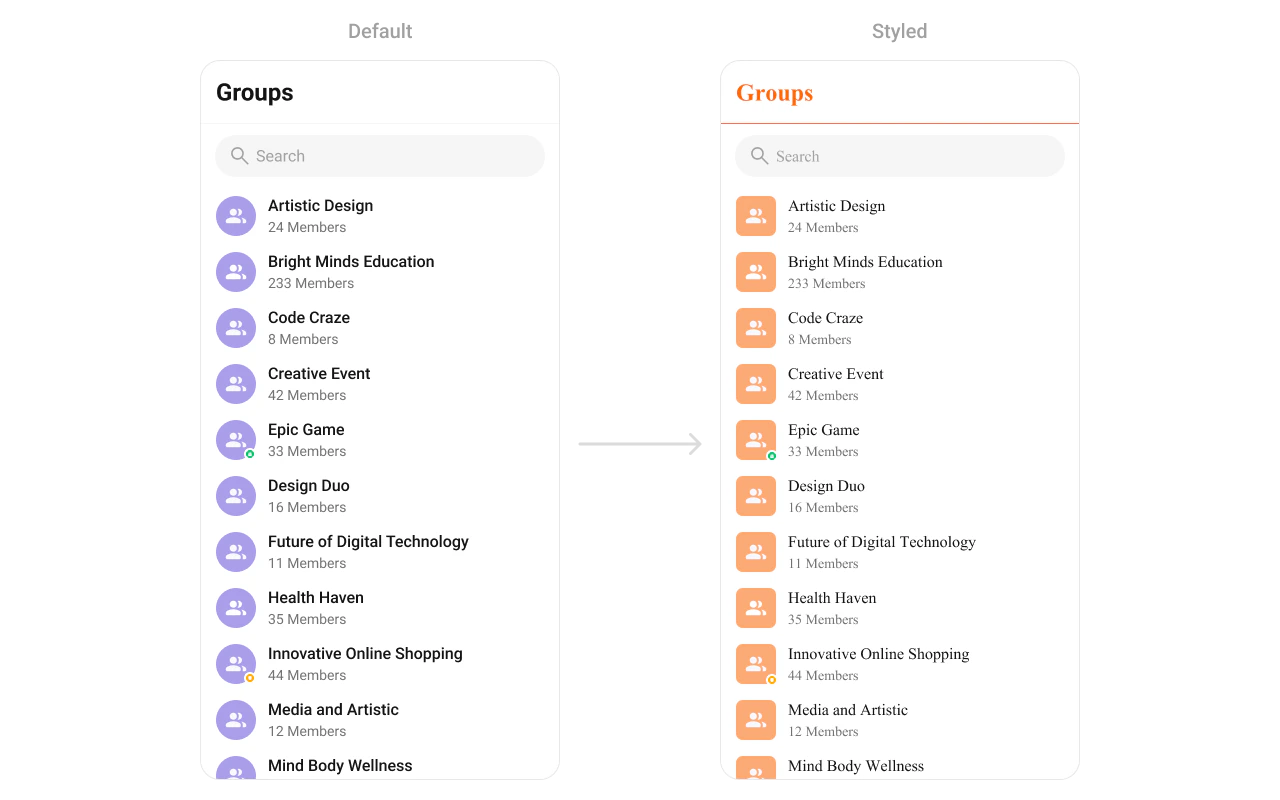
- Kotlin (XML Views)
- Jetpack Compose
themes.xml
Message Header

- Kotlin (XML Views)
- Jetpack Compose
themes.xml
Message List
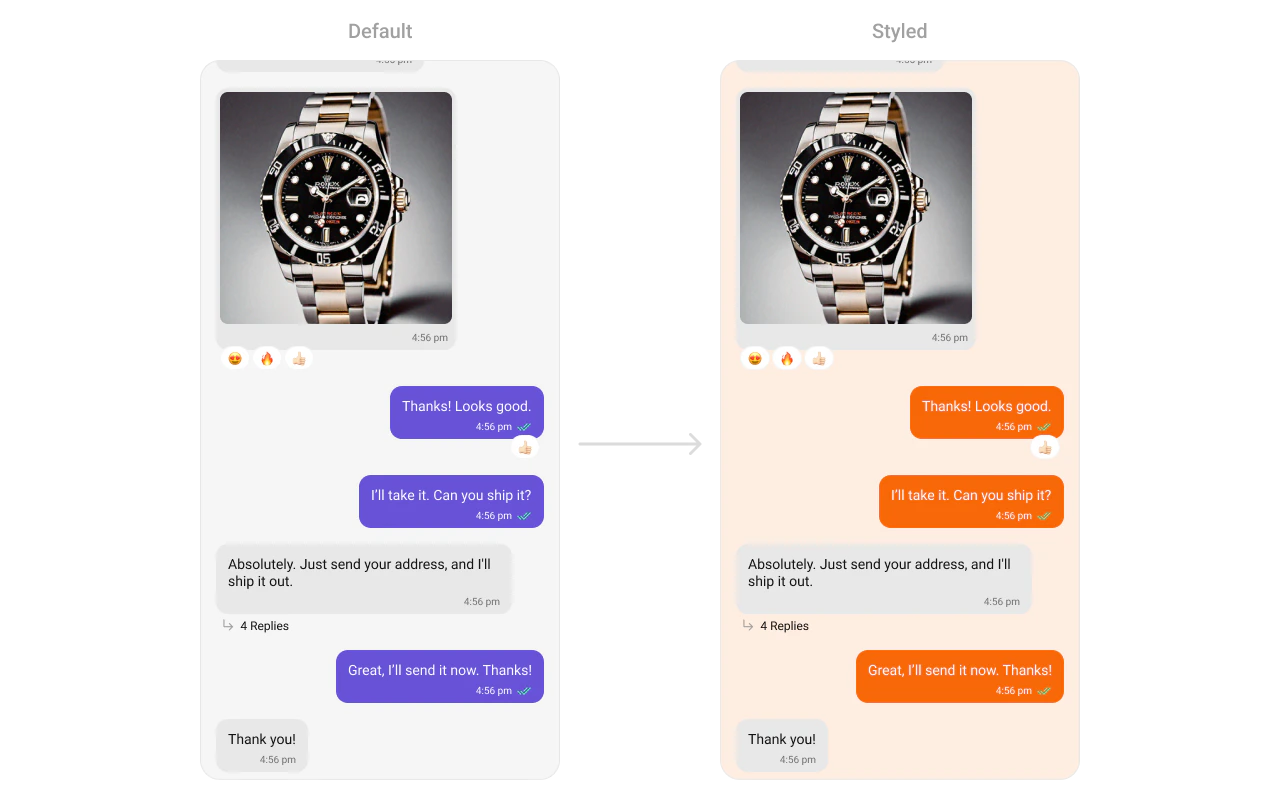
- Kotlin (XML Views)
- Jetpack Compose
themes.xml
Message Composer

- Kotlin (XML Views)
- Jetpack Compose
themes.xml
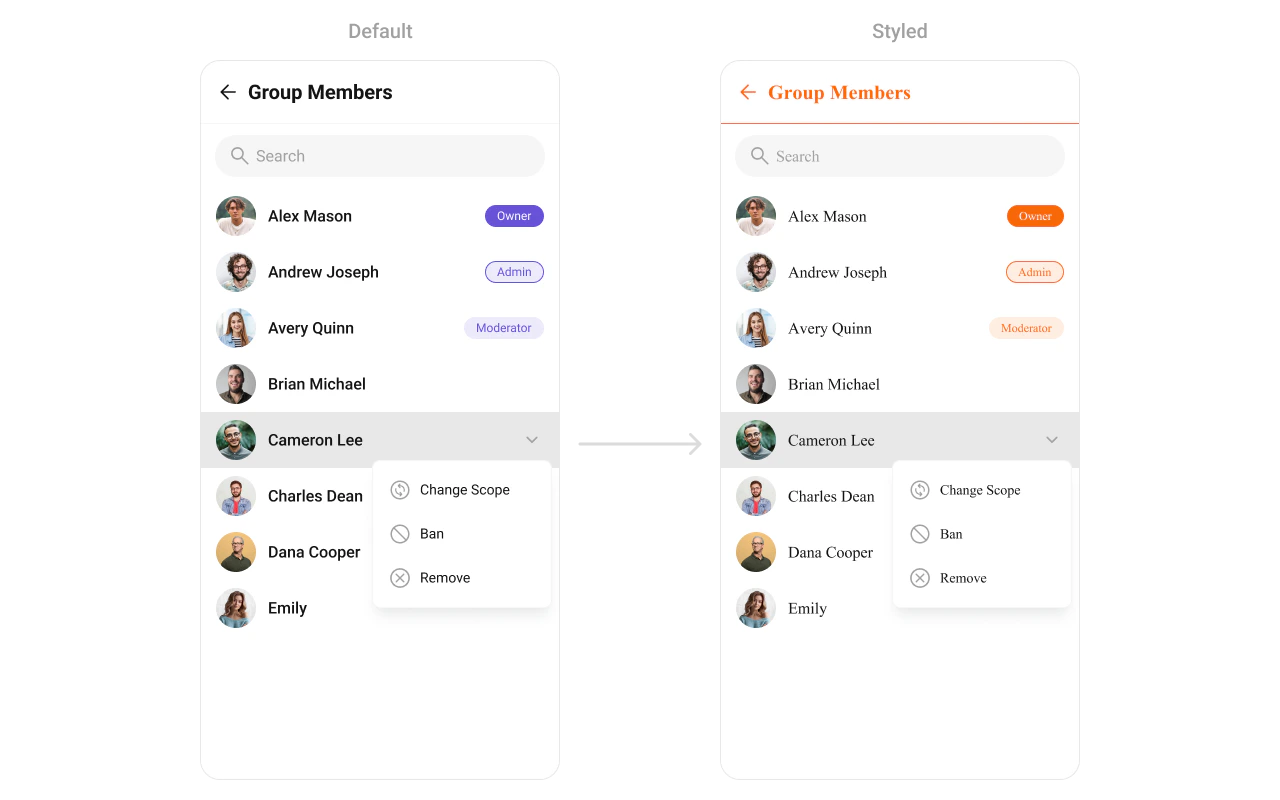
Group Members
- Kotlin (XML Views)
- Jetpack Compose
themes.xml
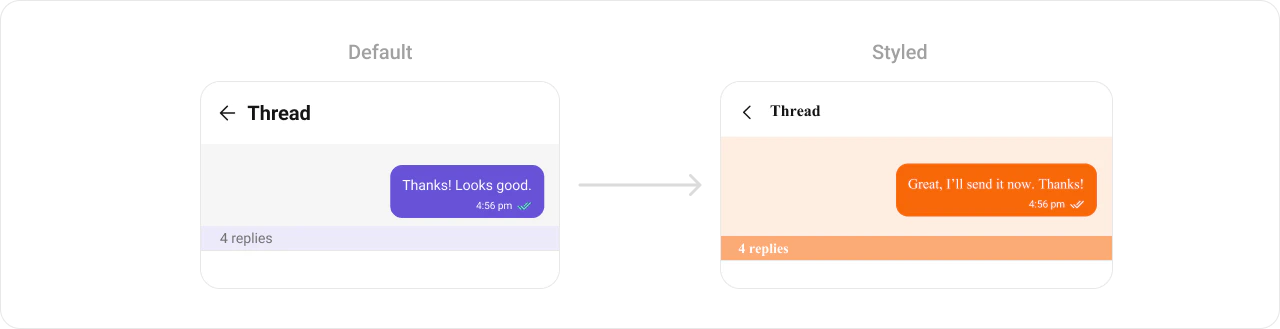
Thread Header
- Kotlin (XML Views)
- Jetpack Compose
themes.xml
Calling UI
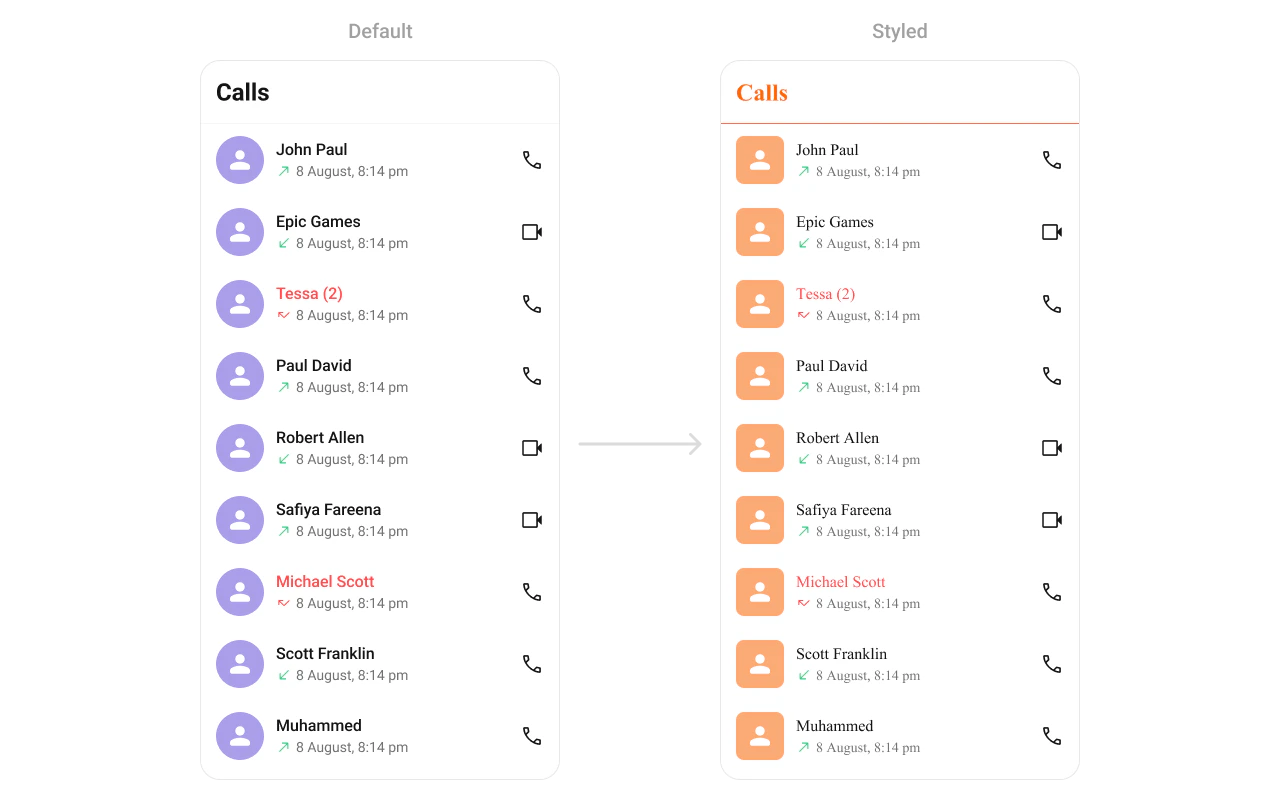
Call Logs
- Kotlin (XML Views)
- Jetpack Compose
themes.xml
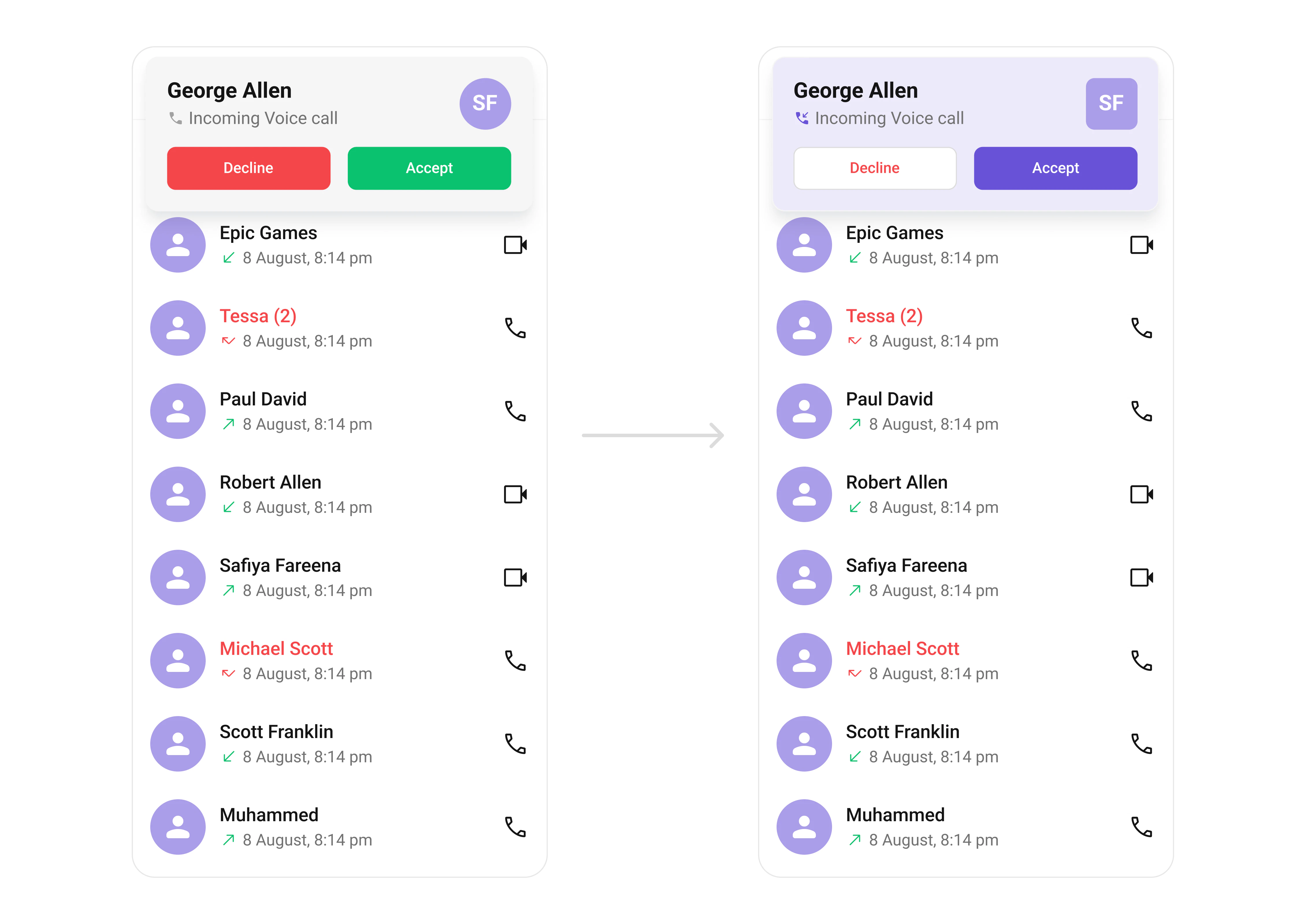
Incoming Call
- Kotlin (XML Views)
- Jetpack Compose
themes.xml
Outgoing Call
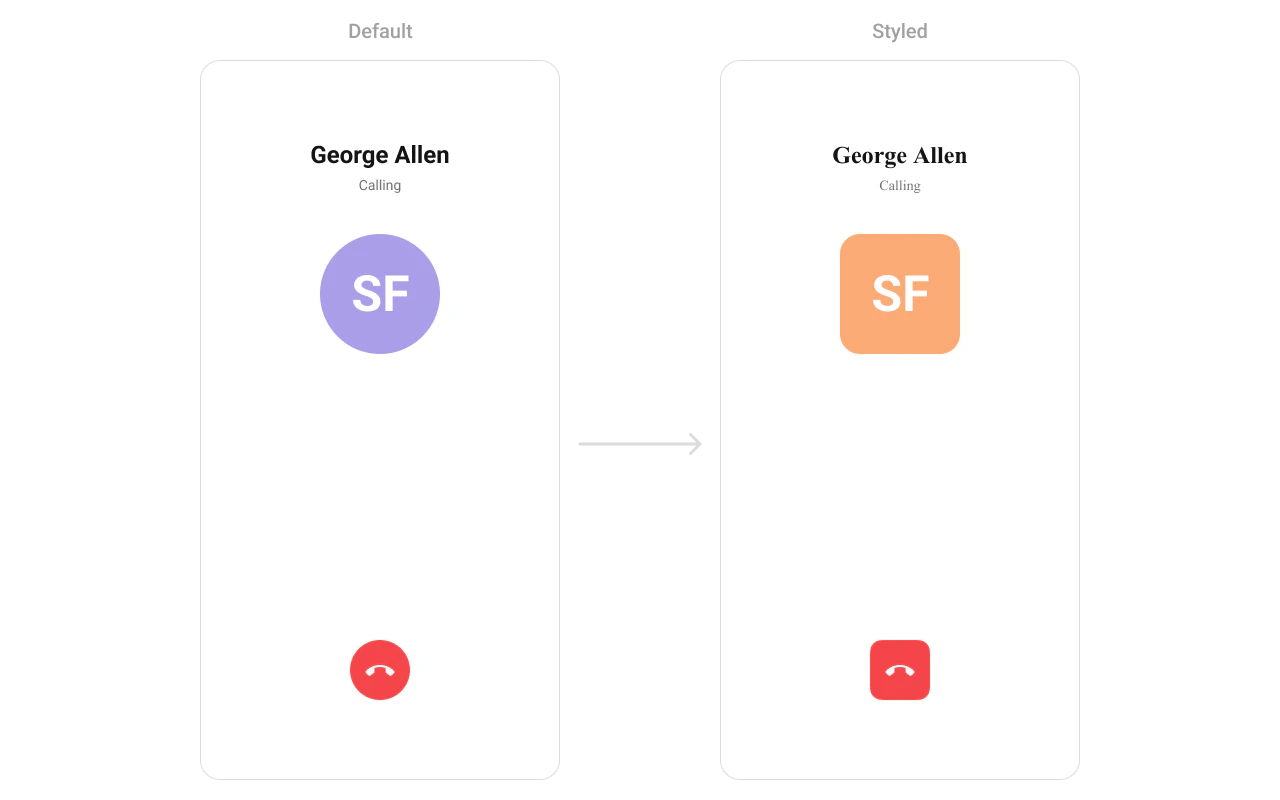
- Kotlin (XML Views)
- Jetpack Compose
themes.xml
Base Components
Avatar

- Kotlin (XML Views)
- Jetpack Compose
themes.xml
Badge

- Kotlin (XML Views)
- Jetpack Compose
themes.xml
Status Indicator

- Kotlin (XML Views)
- Jetpack Compose
themes.xml
Reaction List
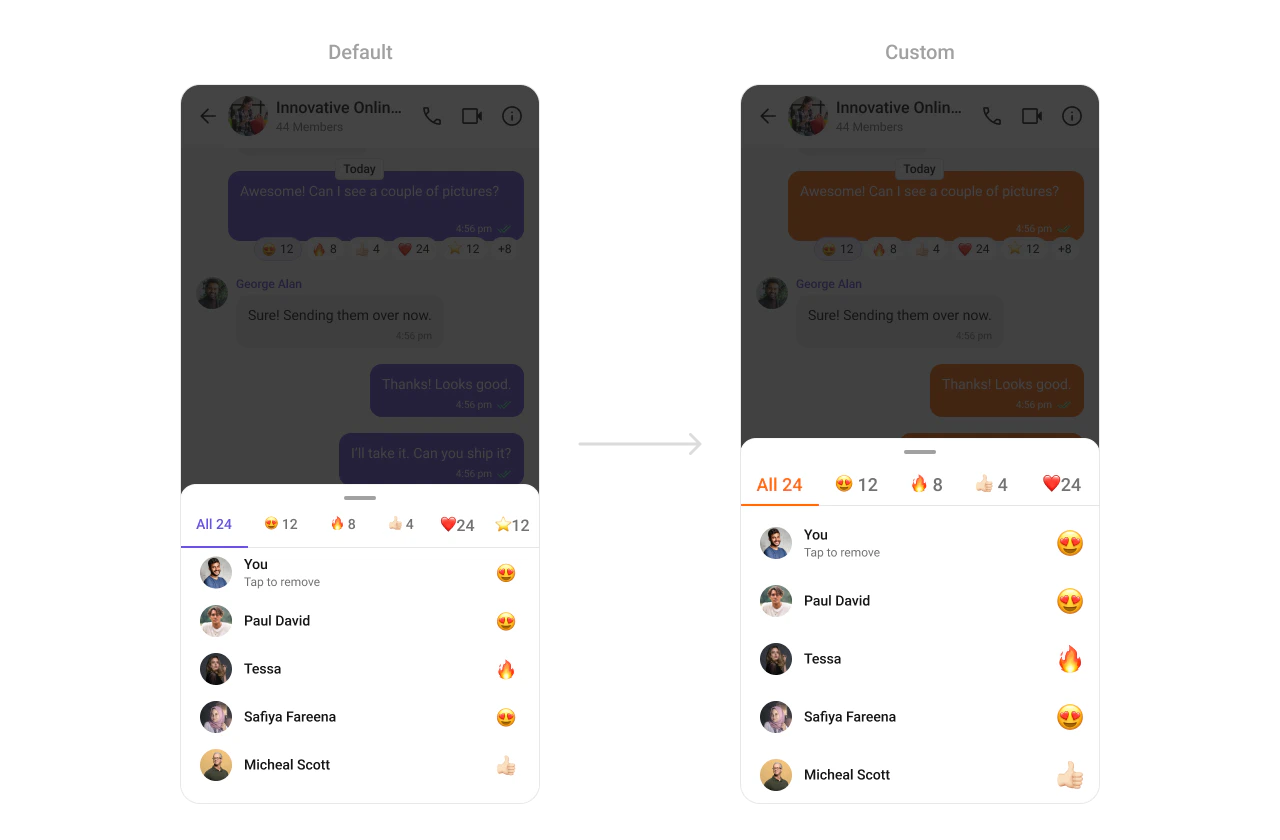
- Kotlin (XML Views)
- Jetpack Compose
themes.xml