

AI Integration Quick Reference
AI Integration Quick Reference
| Field | Value |
|---|---|
| Packages | com.cometchat:chatuikit-kotlin · com.cometchat:chatuikit-jetpack |
| Key class | ShortCutFormatter (extends CometChatTextFormatter) |
| Required setup | CometChatUIKit.init() then CometChatUIKit.login("UID") |
| Track character | ! — triggers shortcut expansion in the message composer |
| Extension | message-shortcuts CometChat extension must be enabled |
| Sample app | GitHub |
| Related | Mentions Formatter | All Guides |
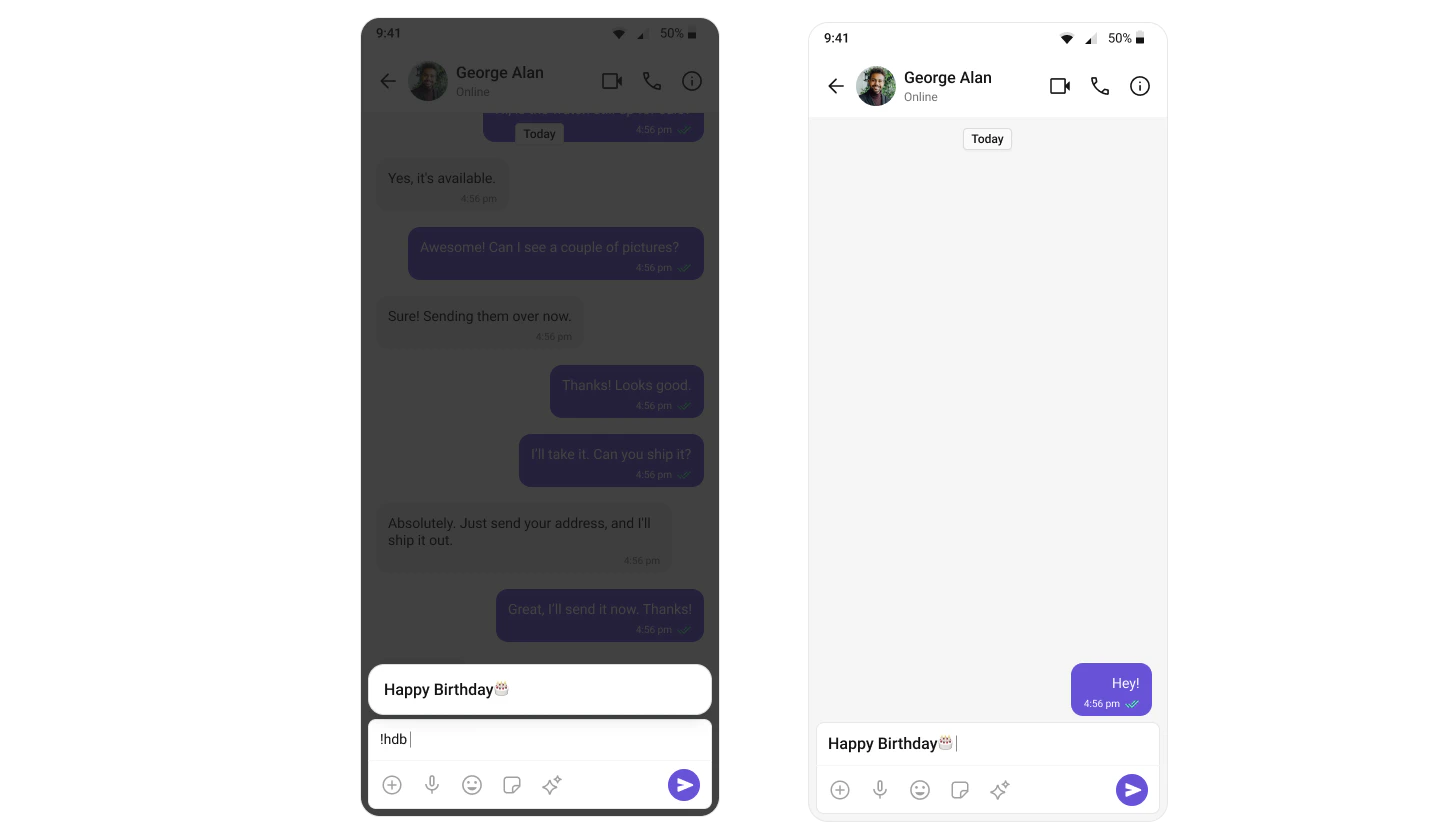
ShortCutFormatter extends CometChatTextFormatter to expand shortcodes (like !hi) into full text via the Message Shortcuts extension. When a user types a shortcut trigger in the composer, a suggestion appears with the expansion — selecting it inserts the text.
Steps
1. Create the ShortCutFormatter class
ExtendCometChatTextFormatter with '!' as the tracking character:
2. Fetch shortcuts from the extension
3. Override the search method
Match user input against stored shortcuts and update the suggestion list:4. Override onScrollToBottom
5. Integrate with MessageComposer
- Kotlin (XML Views)
- Jetpack Compose
Add the XML element to your layout:Then add the formatter to the composer:
! followed by a valid shortcut key (e.g., !hi) displays a suggestion with the expanded text. Selecting it inserts the expansion into the composer.
Next Steps
Message Composer
Configure the composer where ShortCutFormatter is integrated
Mentions Formatter
Format @mentions with styled tokens and click handling
All Guides
Browse all feature and formatter guides
Sample App
Full working sample application on GitHub